

About the Cost Explorer
The cost explorer lets you view and analyze your Eon account usage and credits. The cost explorer interface contains the following components, which are described below:
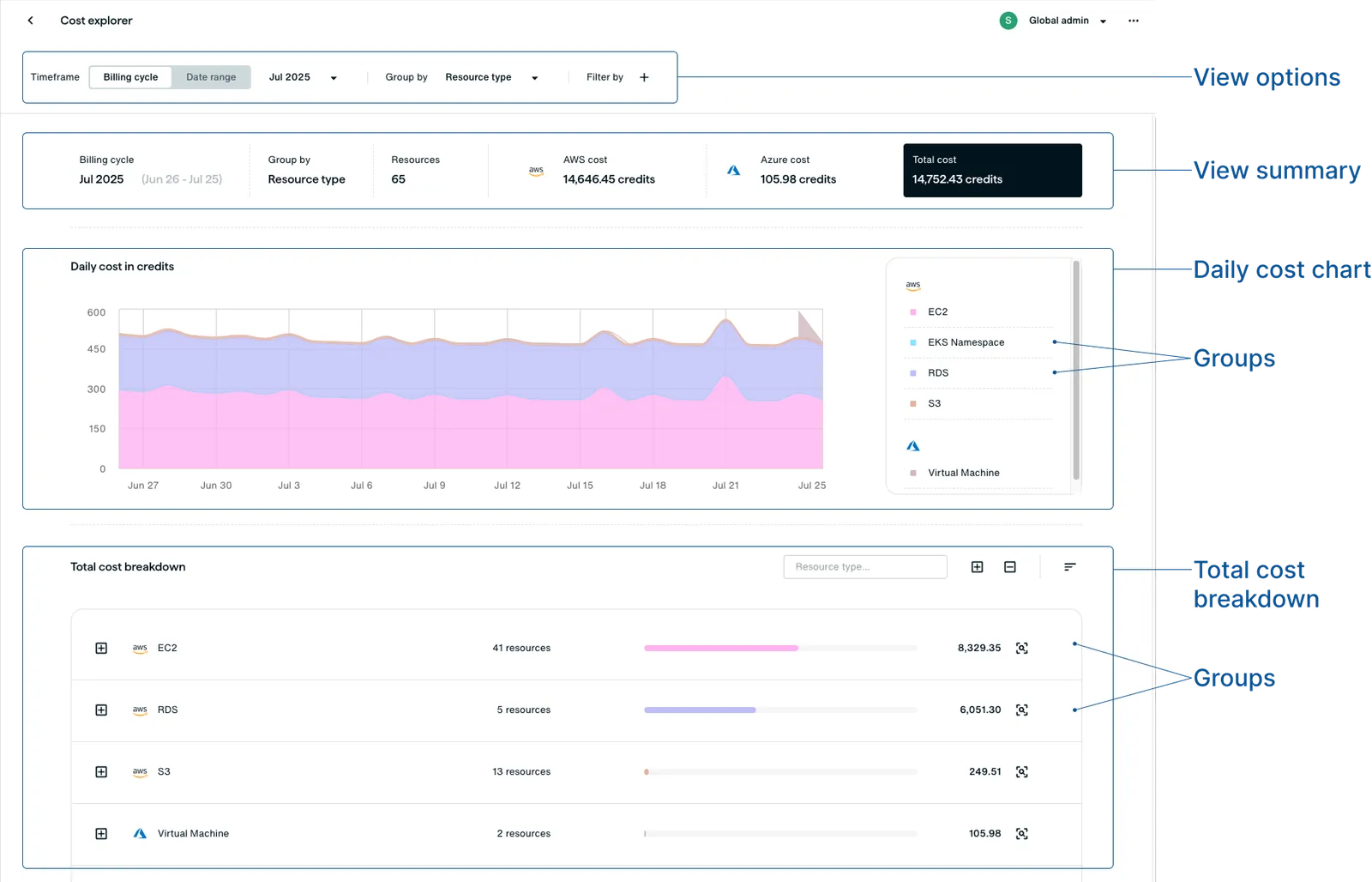
- View options: Allows you to choose the time frame, grouping, and filter options you want to view. The view options are located at the top of the cost explorer.
- View summary: Shows the total cost in credits for the time frame specified in the view options. Cost is also broken down by cloud provider.
- Daily cost chart: Shows the cost of each group over time according to the time frame, grouping, and filtering view options. You can hover over a day to see that day’s cost per group.
- Total cost breakdown: Shows the total cost of each group according to the time frame, grouping, and filtering view options. You can expand a group to see details on credits and usage, broken down by usage type. More on usage types in the next section.
Credits and usage types
Credits are the billing unit you purchase from Eon. A credit is equal to $0.01 USD.
Credits measure three types of usage in Eon:
Backup storage and ransomware detection are measured in GB-month units, which represents a gigabyte of data stored in the vault for a month. Under this billing model, 1 GB stored for 30 days costs 1 credit, whereas 1 GB stored for 15 days or 0.5 GB stored for 30 days each cost 0.5 credits.
Data transfer usage is measured in GB units, which represents the amount of data transferred to and from the vault during backup and restore operations.
The cost explorer shows only your usage. It doesn’t reflect whether the credits are deducted from your Eon contract balance or billed through your cloud provider’s marketplace.