

About AI Assistant
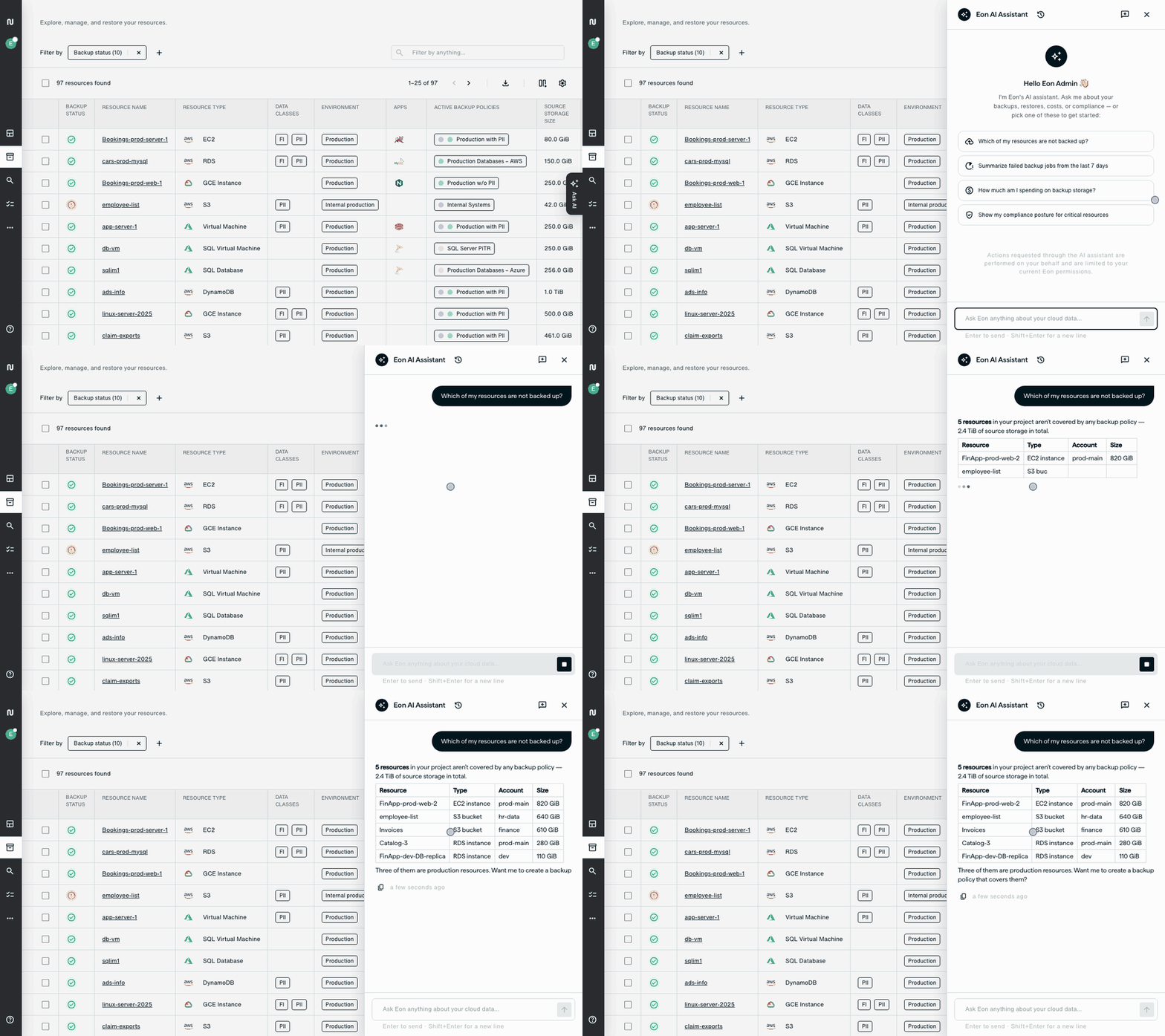
Ask the Eon AI Assistant about your backups, restores, costs, and compliance in plain language, and get answers from your live Eon data instead of cross-checking your inventory, policies, and job history yourself. It can also act for you, but only within your own permissions.
This article explains what AI Assistant uses to answer, what it can do in your account, and how access control and auditing apply, so you can decide how far to rely on it.
AI Assistant is the chat built into the Eon console, on the Ask AI tab. To use AI with Eon from an external AI tool instead, see About AI Integrations.
What AI Assistant uses to answer
AI Assistant answers questions about your account from your live Eon data and product questions from the Eon docs. When it answers from the Eon docs, it lists the pages it used under Sources.
AI Assistant builds its memory from your conversations and uses it in your later chats, so its answers reflect how you work. The memory is per-user, so it’s specific to you.
What AI Assistant can change
In addition to answering your questions, AI Assistant can act on your behalf. It acts through Eon with your own permissions, so it can do what your role allows, including restoring resources, taking snapshots, creating backup policies, and connecting source accounts.
Dashboards
AI Assistant can build a dashboard from your prompt. Dashboards are read-only and don’t change your resources, policies, or backups. For more information and instructions, see About Dashboards.
Agentic remediation
Agentic remediation is part of the Threat center. AI Assistant investigates resources with ransomware, malware, or data anomaly findings, writes a remediation plan in the chat, and restores EC2 instances and S3 buckets only once you approve the plan. For more information and instructions, see Recover from a Threat with AI Assistant.
Access control and auditing
AI Assistant acts on your behalf using your credentials. This means:
-
Permissions: AI Assistant has the permissions of the role you’re currently using.
-
Action approvals: Where your account requires action approvals, AI Assistant enters the action approval flow and waits for the required approvals. To track a request, see Manage Action Requests (Requesters).
-
Audit logs: Because AI Assistant uses your credentials, audit logs record actions it takes under your name. Chat messages themselves aren’t captured in the audit log.
Separately, AI Assistant asks you to confirm before it starts a bulk restore or sends an action request for approval. Nothing happens until you choose Approve or Reject in the chat.